Tech stack
Frontend
Next.js (App Router)
Styling
Tailwind CSS
Backend
nextjs-fullstack
Database
supabase
Authentication
supabase-auth
Performance Metrics & Potential
Market Context & Definition
Consumer app, Parenting
New parents, Caregivers
Fragmented tracking, uncertainty about wake windows and schedules, coordinating among caregivers, need for evidence-based sleep guidance.
Purpose
Baby Sleep Tracker is a comprehensive baby sleep tracking application designed to help parents understand and improve their baby's sleep patterns. It serves as a central hub for logging daily activities (sleep, feedings, diapers, notes), generating age-appropriate sleep schedules, and analyzing trends through clear analytics. The app combines a warm, modern interface with science-backed tools so parents can build consistent routines and reduce guesswork.
Key Features
Who It's For
New parents and caregivers who want one place to track sleep and routines, understand patterns, and follow evidence-based schedules. The app is built for daily use on web and mobile with a friendly, reassuring tone.
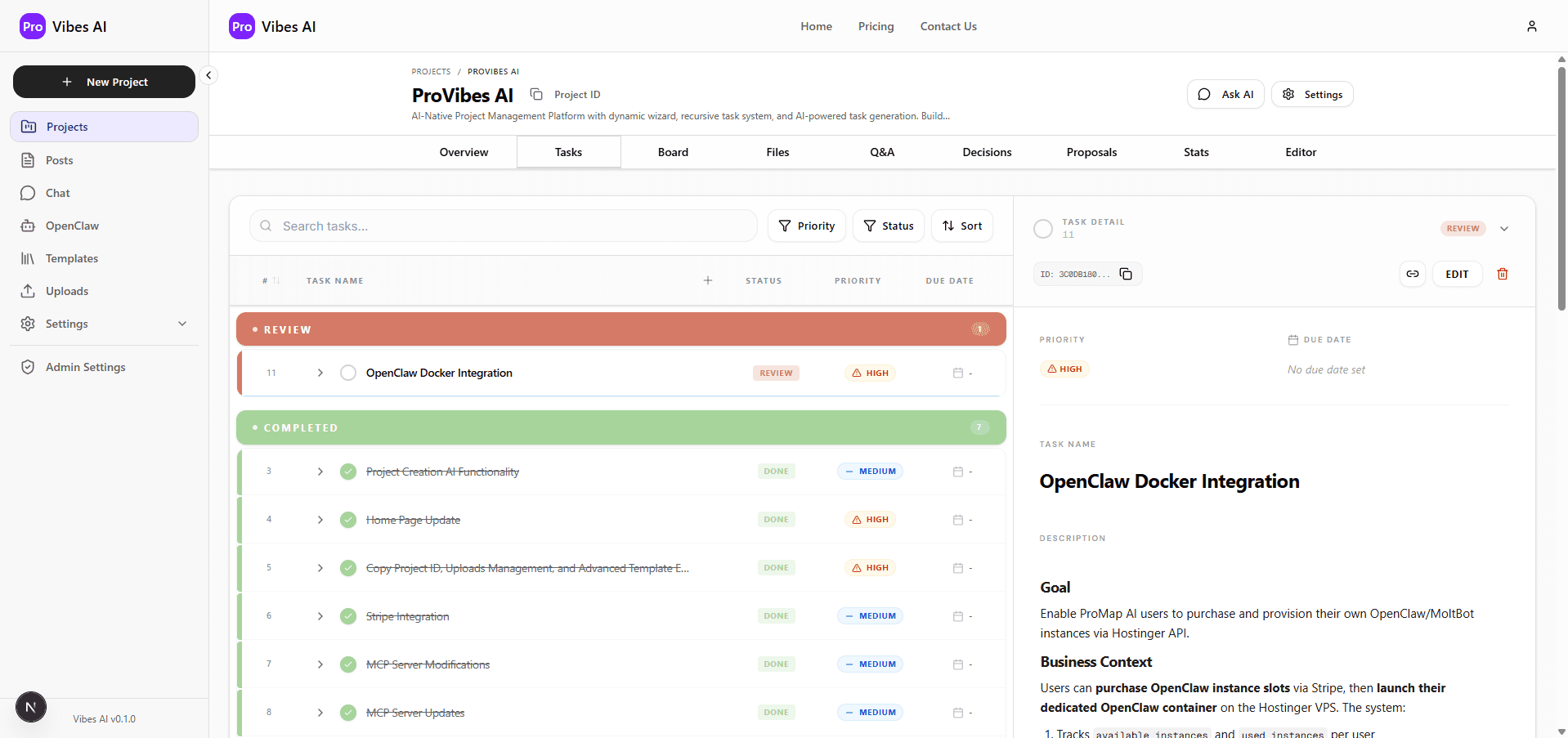
Get an entire project plan for this application—with task lists that detail every step of the development process.
Open this project in your favorite IDE and tell your AI assistant to go to work. The ProVibes AI Task Manager instructs any LLM on how to execute every step.
Visual Product Identity
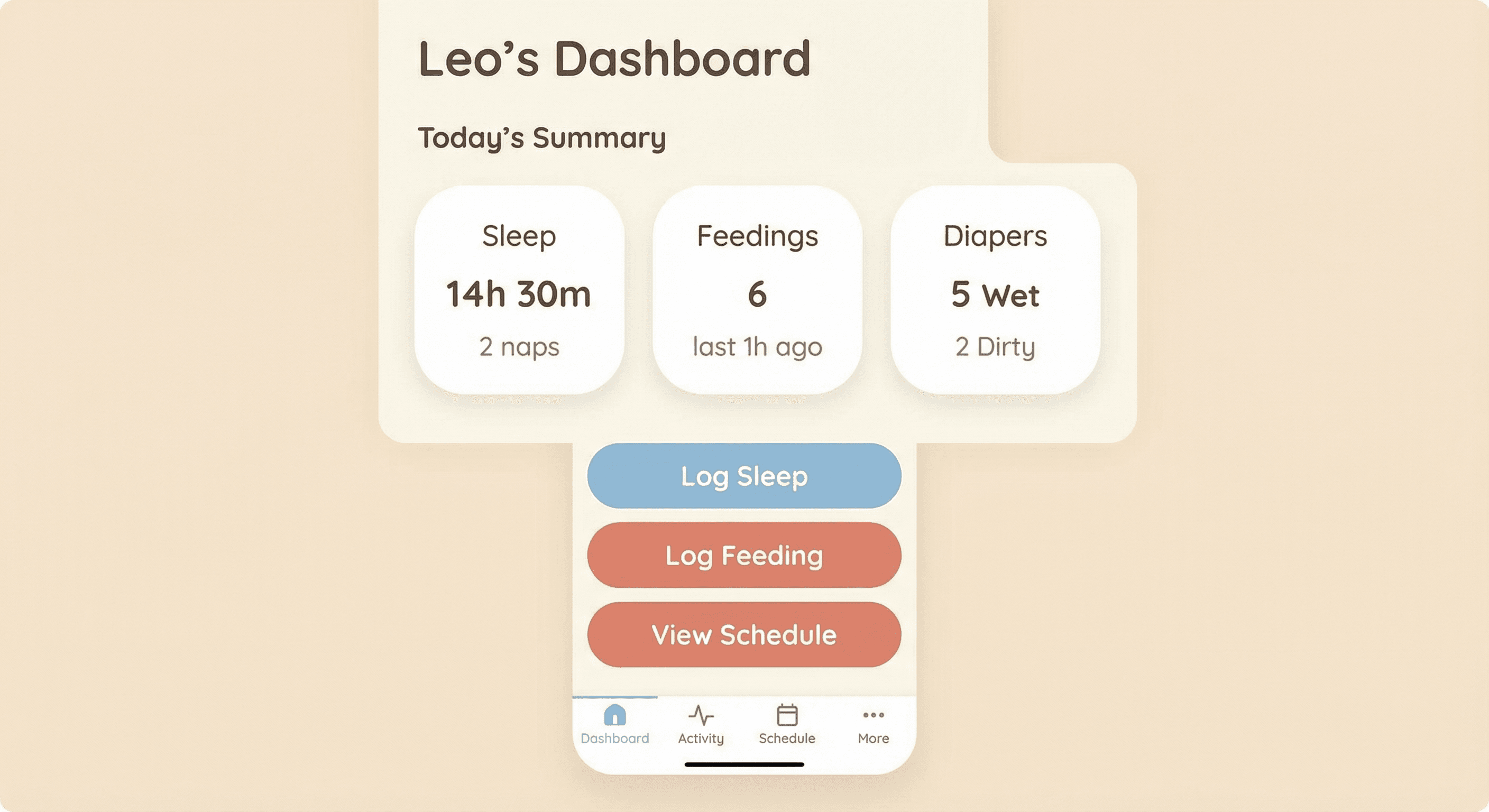
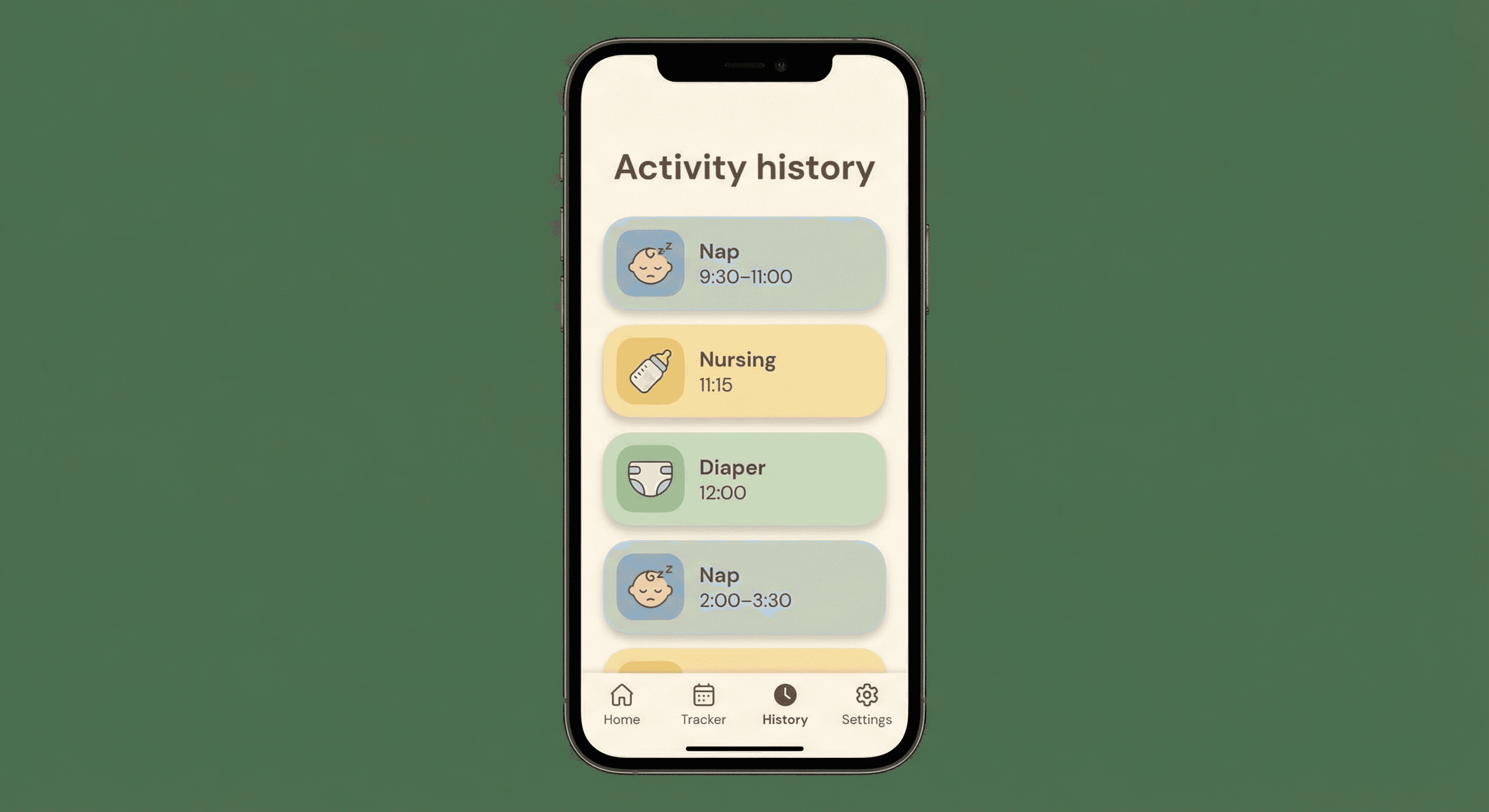
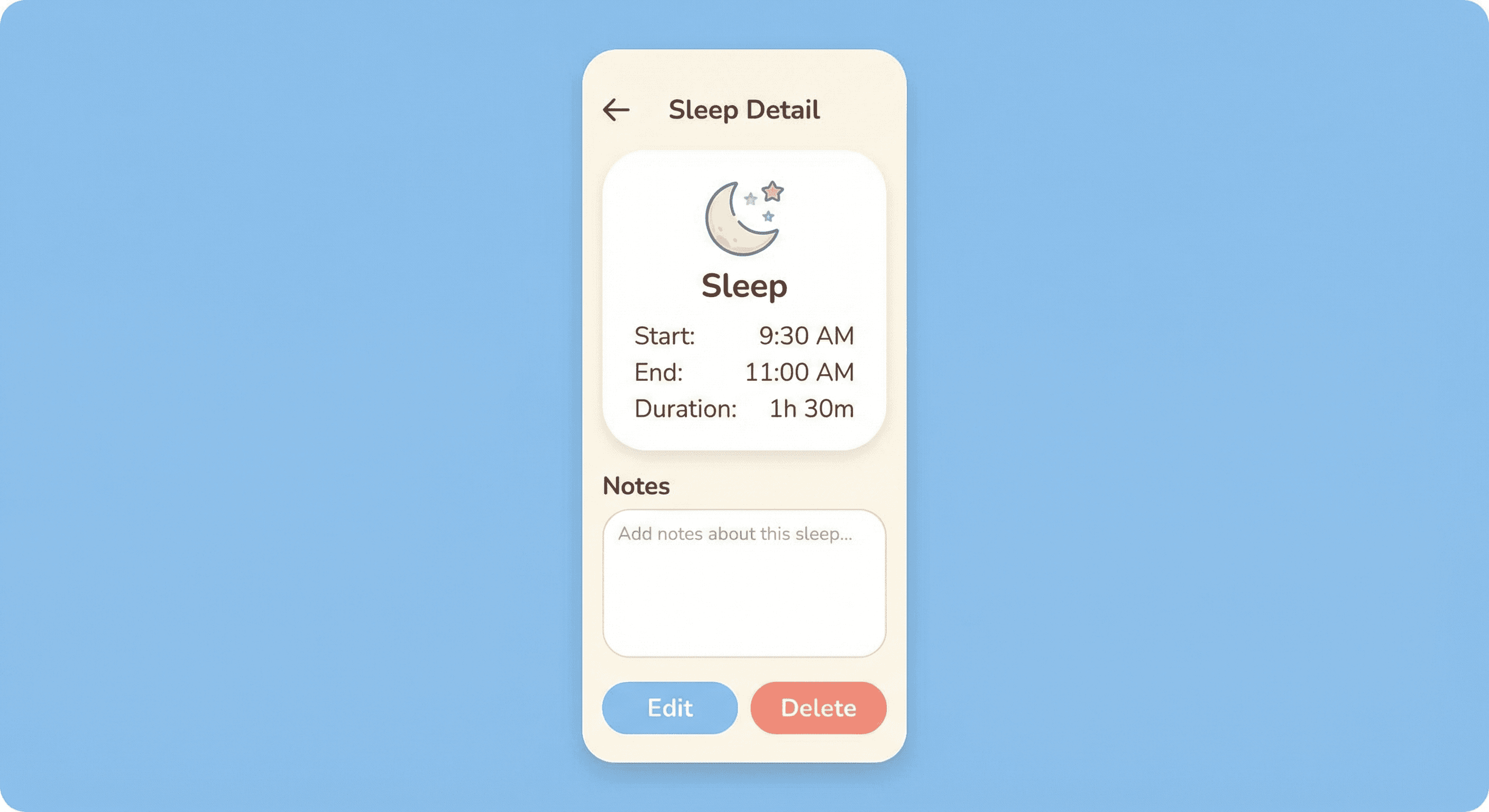
Core logging for sleep (naps and nighttime with start, end, duration), feedings (nursing or formula with amounts and time), diapers (wet, dirty, or both), and custom notes (e.g. tummy time, baths). Activity history is available with edit and delete, and all data is persisted to the database so parents have a single, reliable record.
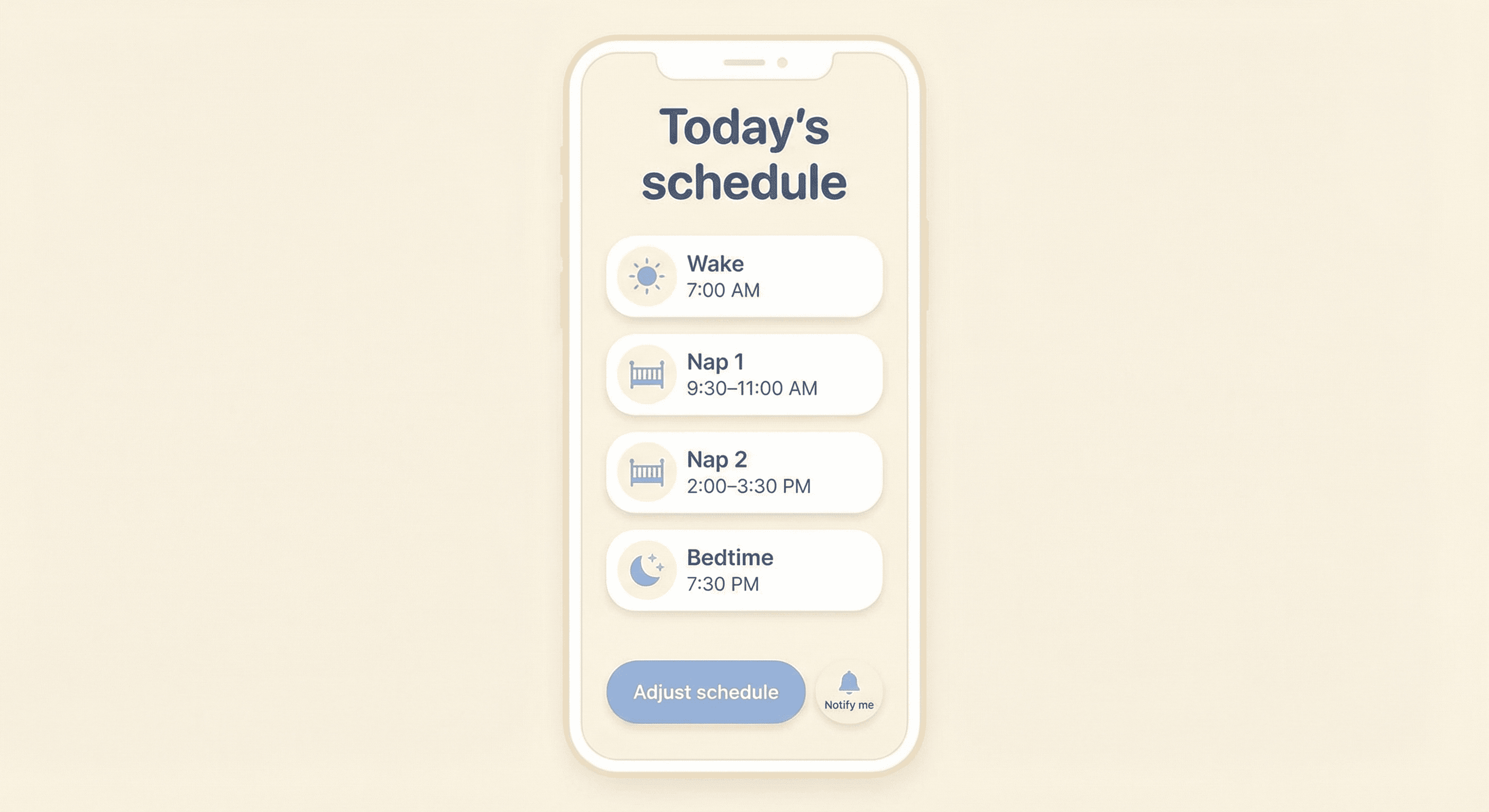
Onboarding collects the baby's age, current sleep habits, and wake times. The app generates a daily schedule with suggested nap and bedtimes based on biologically appropriate wake windows. If the user enters the baby's birth date, the schedule auto-adjusts as the baby grows, with notifications for upcoming changes so parents can approve or customize the new routine.
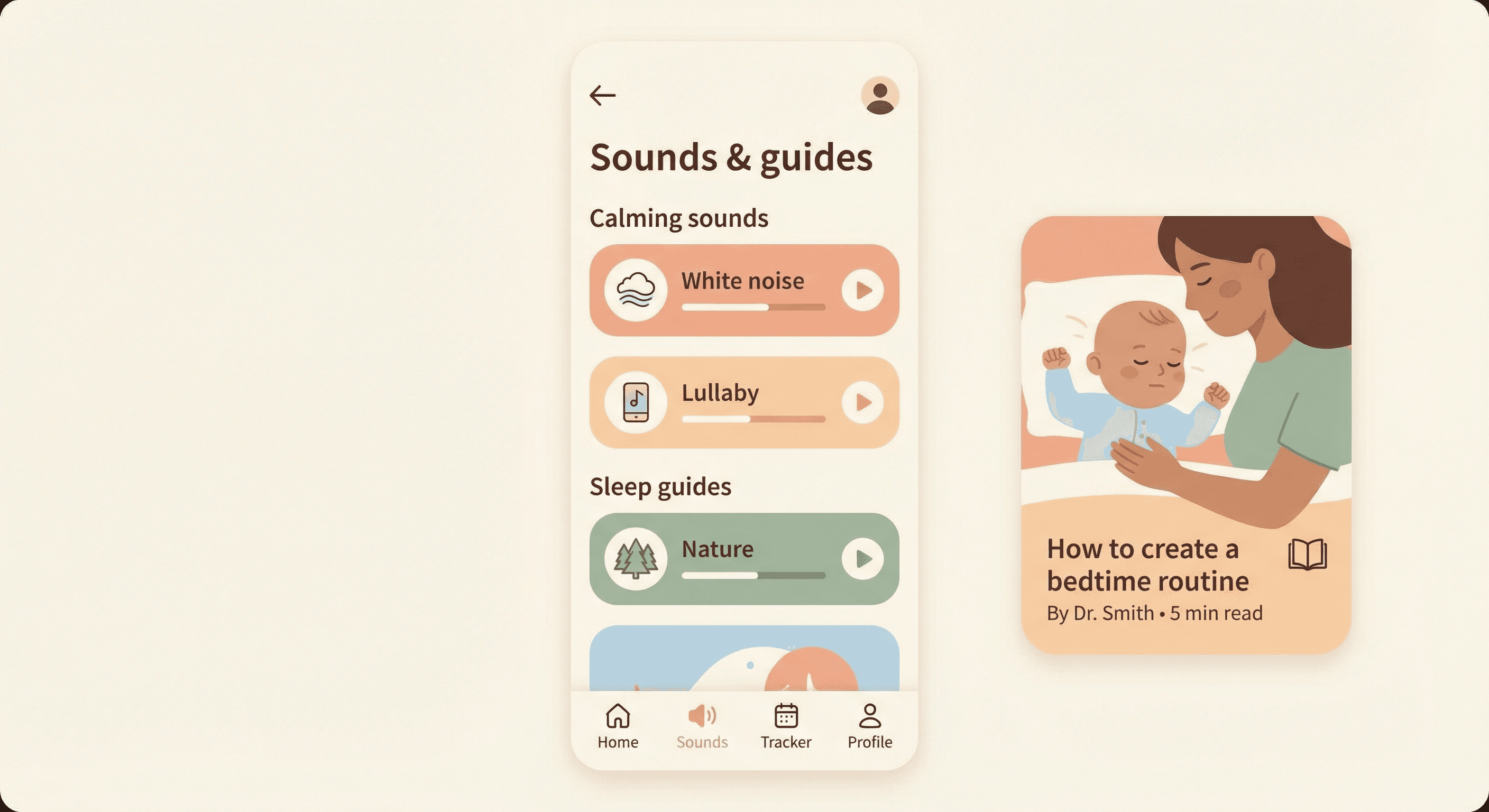
Audio library includes white noise, soft lullabies, and nature sounds with loop and sleep timers for naps and nighttime. A sleep guides and articles section offers science-backed content on sleep development, step-by-step sleep training, and tips for a sleep-friendly environment, tagged by age group or topic.
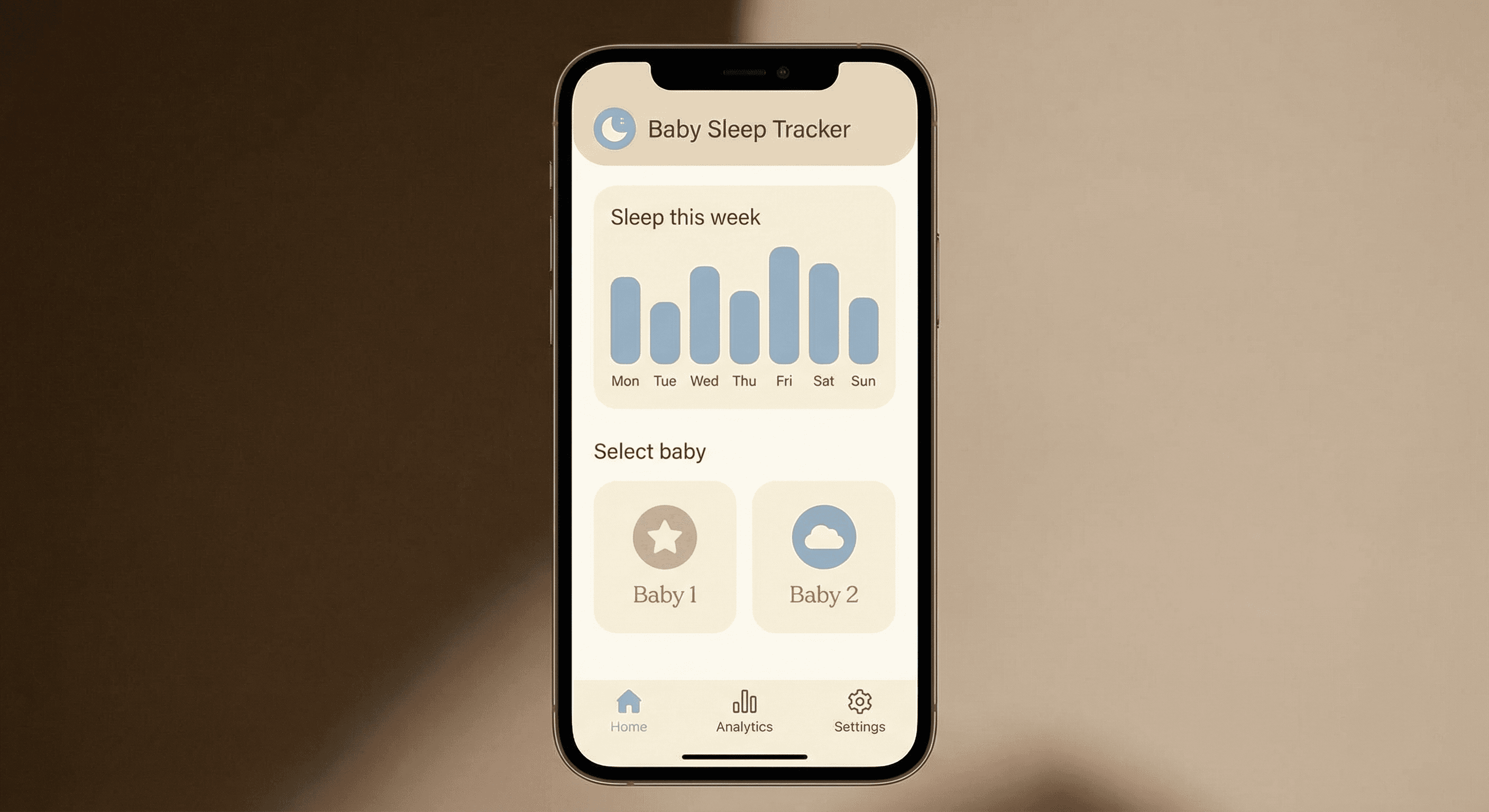
Visual overview of tracked data with graphs and charts. Metrics include total sleep per day, number of night wakings, feeding durations, and feeding frequency. Parents can see weekly sleep patterns and feeding trends over time. The design is responsive for mobile viewing so insights are available on the go.
Invite partners, nannies, or grandparents via email. The owner sets access levels: View Only, Edit Access, or Full Access. Data syncs in real time across devices so everyone sees the same logs and schedules, reducing duplicate entry and keeping care coordinated.
Users can create and switch between multiple baby profiles to organize data for different children. Each profile includes the baby's name, age or date of birth, and an optional photo, so families with more than one child can manage everything in one app.
Frontend
Next.js (App Router)
Styling
Tailwind CSS
Backend
nextjs-fullstack
Database
supabase
Authentication
supabase-auth
Web (Browser)
iOS (Mobile)
Deployment
vercel
Deployment notes
Next.js app with API routes; Supabase for auth, database, and storage; Stripe for payments. Environment variables for Supabase URL/key and Stripe keys.
Free Plan
Unlimited Plan – $29/year
Baby and parenting apps often use freemium or one-time purchase. A low annual price ($29) is competitive with subscription baby trackers and aligns with parent willingness to pay for sleep and routine tools. Clear upgrade path when trial ends or when accessing premium features.
Pricing section on landing or dedicated page: Free (7-day trial) vs Unlimited ($29/year). Feature comparison: tracking, schedule, analytics, sounds/guides, sharing, profiles. CTA: Start free trial; Upgrade when trial ends or when user hits paywall.
Freemium with Stripe. Free: 7-day basic tracking. Unlimited: $29/year, all features. Checkout redirect when trial ends or when accessing premium features.
Demographics
Primary users are parents and caregivers of infants and toddlers (roughly 0–3 years). Geographically broad (US, UK, and other English-speaking markets first). Mix of first-time and experienced parents; includes single parents, couples, and extended family (grandparents, nannies) who share care.
Technical expertise
Ranges from non-technical to tech-comfortable. Many are sleep-deprived and time-limited, so the app must be intuitive, fast, and reliable with minimal learning curve.
Pain points and challenges
Primary use cases and goals
How they interact with the application
Most use is on mobile (quick logs, check schedule, view analytics). Web used for deeper review and setup. Frequency: multiple times per day for logging; daily or weekly for schedule and analytics. Key flows: open app → log activity; open schedule → see next nap/bedtime; open analytics → review week.
What success looks like for them
More predictable sleep, less guesswork, better coordination with caregivers, and a sense of control and confidence. Outcomes: improved baby sleep quality, parents feeling informed and supported, and data they can share with pediatricians if needed.
Stripe - For subscription billing and freemium paywall (Free 7-day trial, Unlimited $29/year).
https://stripe.com/docs
Supabase Auth - For user registration, login, and profile management.
https://supabase.com/docs/guides/auth
Supabase Storage - For baby profile photos and audio files (white noise, lullabies).
https://supabase.com/docs/guides/storage
React Hook Form - For activity logging forms (sleep, feedings, diapers, notes) and onboarding.
https://react-hook-form.com
Recharts or Chart.js - For analytics dashboard (sleep trends, feeding frequency, night wakings).
https://recharts.org
date-fns - For schedule calculations, wake windows, and date-of-birth-based milestones.
https://date-fns.org
Stripe API - For checkout sessions and subscription management.
https://stripe.com/docs/api
Supabase REST/JS - For auth, database CRUD, and storage.
https://supabase.com/docs/reference/javascript/introduction
Warm and modern. Soft, welcoming aesthetic suitable for new parents. Friendly tone with refined typography and subtle animations to create a calm, reassuring feel.
Soft, calming palette: warm neutrals (cream, soft gray), gentle blues or greens for trust and calm, and a soft accent (e.g. coral or mint) for CTAs. Avoid harsh contrasts; prioritize readability and comfort.
Refined, readable font for body and headings. Clear hierarchy for dashboard cards, schedule blocks, and analytics. Slightly rounded or friendly type to match the warm tone.
Rounded corners on cards and buttons. Soft shadows for depth. Clear borders for form inputs and list items. Touch-friendly targets for mobile.
Clean, content-first layout. Card-based dashboard and list views. Minimal clutter; emphasis on quick logging and at-a-glance insights.
Mobile-first. Breakpoints for tablet and desktop. Analytics and dashboard optimized for small screens; key actions (log sleep, view schedule) accessible in one tap.
Optional light default with potential soft dark mode for night checks; ensure contrast and readability in both.
Landing page: hero with graphic or image, key features, testimonials, and clear CTAs (Start Tracking, Explore Features). Post-login: dashboard with navigation and feature cards. Overall: warm, modern, and trustworthy.