Tech stack
Frontend
Next.js (App Router)
Styling
Tailwind CSS
Backend
Next.js (Full-Stack)
Database
Supabase (PostgreSQL + Auth)
Authentication
Supabase Auth
Performance Metrics & Potential
Market Context & Definition
Software app, B2B / Creator
Content creators, Marketers, Indie filmmakers, Agencies
Fragmented AI video landscape; multiple dashboards and API keys; no unified comparison or automation.
ClipForge is a unified AI video creation platform that empowers creators to generate professional videos using the latest models from Google Veo, OpenAI Sora, ByteDance Seedance, and Kling AI—all in one place.
ClipForge solves the fragmented AI video landscape. Instead of juggling multiple dashboards, API keys, and workflows, creators get a single Next.js application with prompt-to-video generation, built-in video editing, and optional autopilot automation.
Multi-Model Generation: Choose from Google Veo (high fidelity, native audio), OpenAI Sora (cinematic, physics), ByteDance Seedance (multimodal, long-form), or Kling (cost-effective, storyboard). Each model has distinct strengths; users can compare outputs side-by-side.
Unified Video Editor: Remotion-powered editor displays generated clips back-to-back. Load clips from Supabase Storage via signed URLs. Trim, reorder, and render final MP4 exports.
Autopilot Automation: Schedule video creation on autopilot. Set prompts, model, and schedule (interval, daily, weekly, or cron). The system generates clips automatically and adds them to projects—perfect for recurring content needs.
Transparent Cost Display: See per-second pricing before generation. Support for user-owned API keys or app-managed credits via Stripe.
Content creators, marketers, indie filmmakers, and agencies who need AI-generated video without the complexity of managing four separate provider dashboards.
Get an entire project plan for this application—with task lists that detail every step of the development process.
Open this project in your favorite IDE and tell your AI assistant to go to work. The ProVibes AI Task Manager instructs any LLM on how to execute every step.
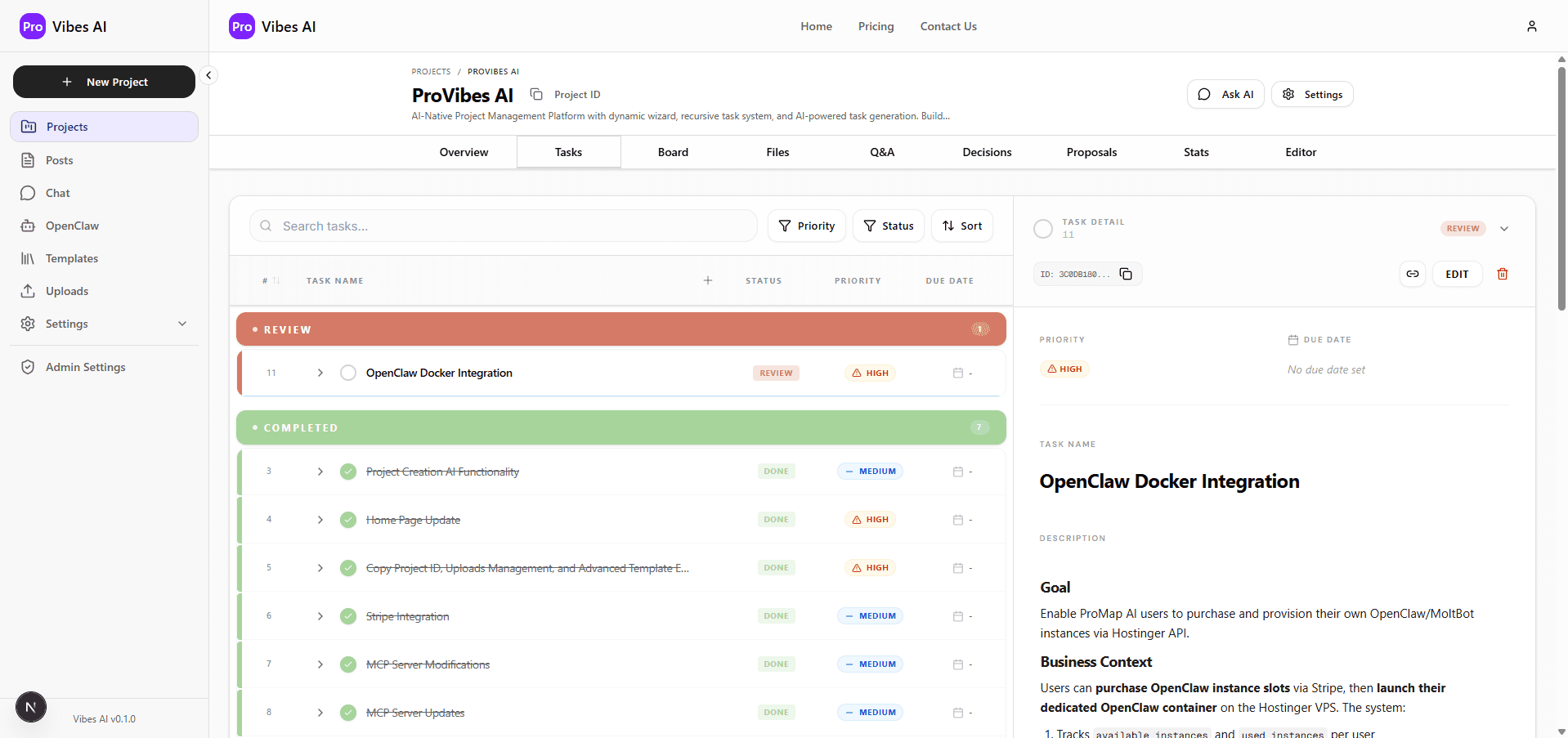
Visual Product Identity
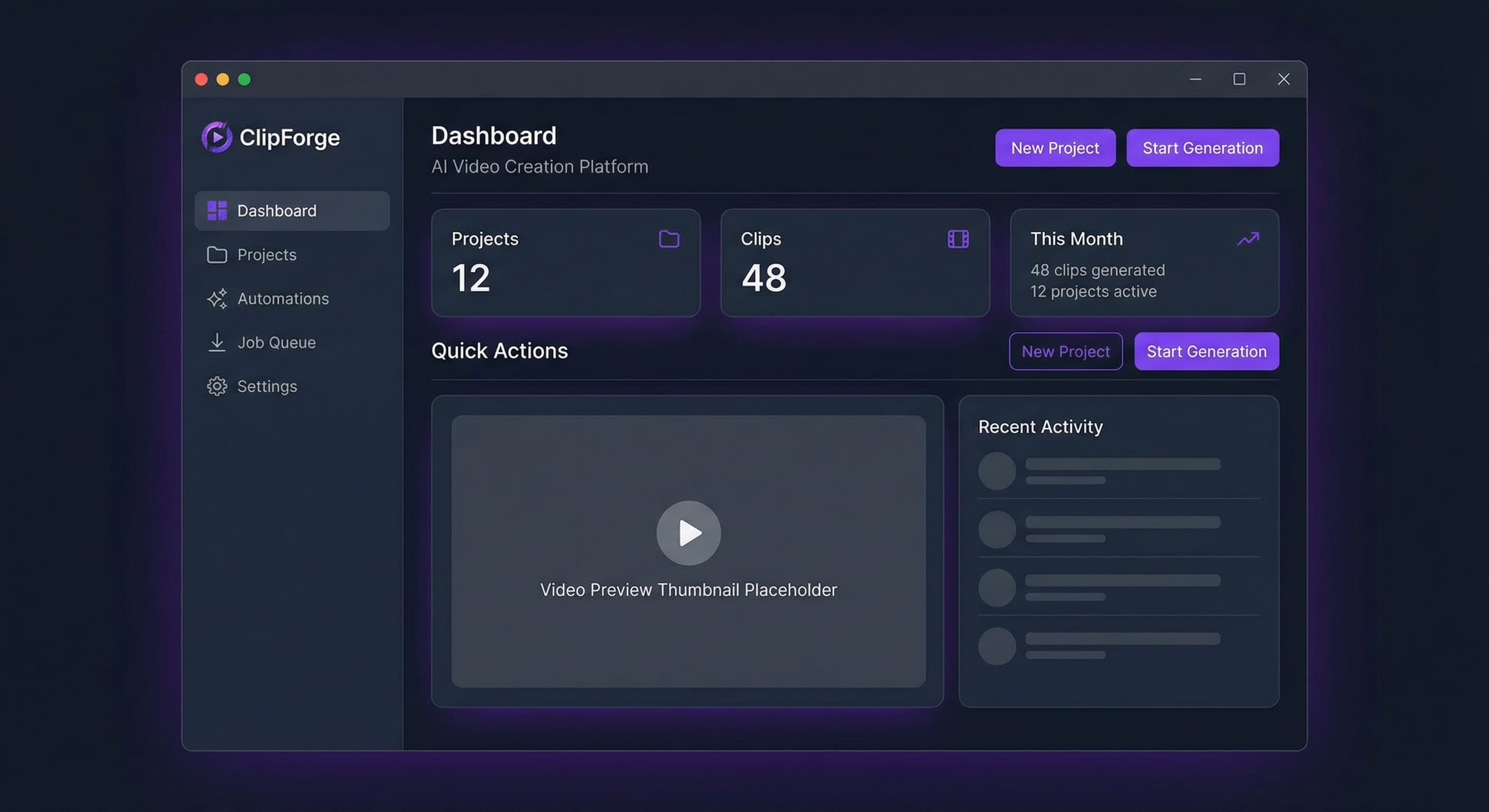
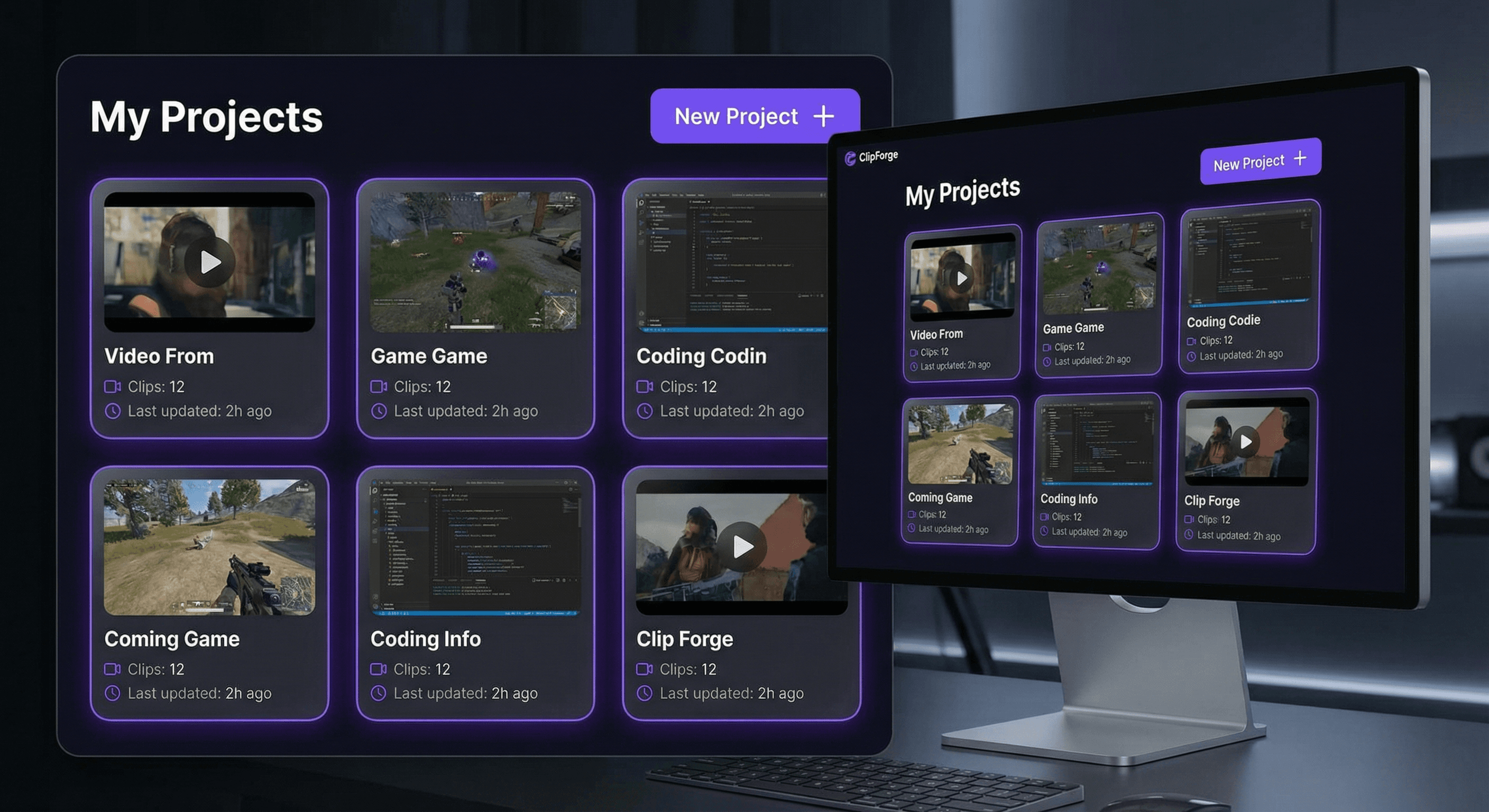
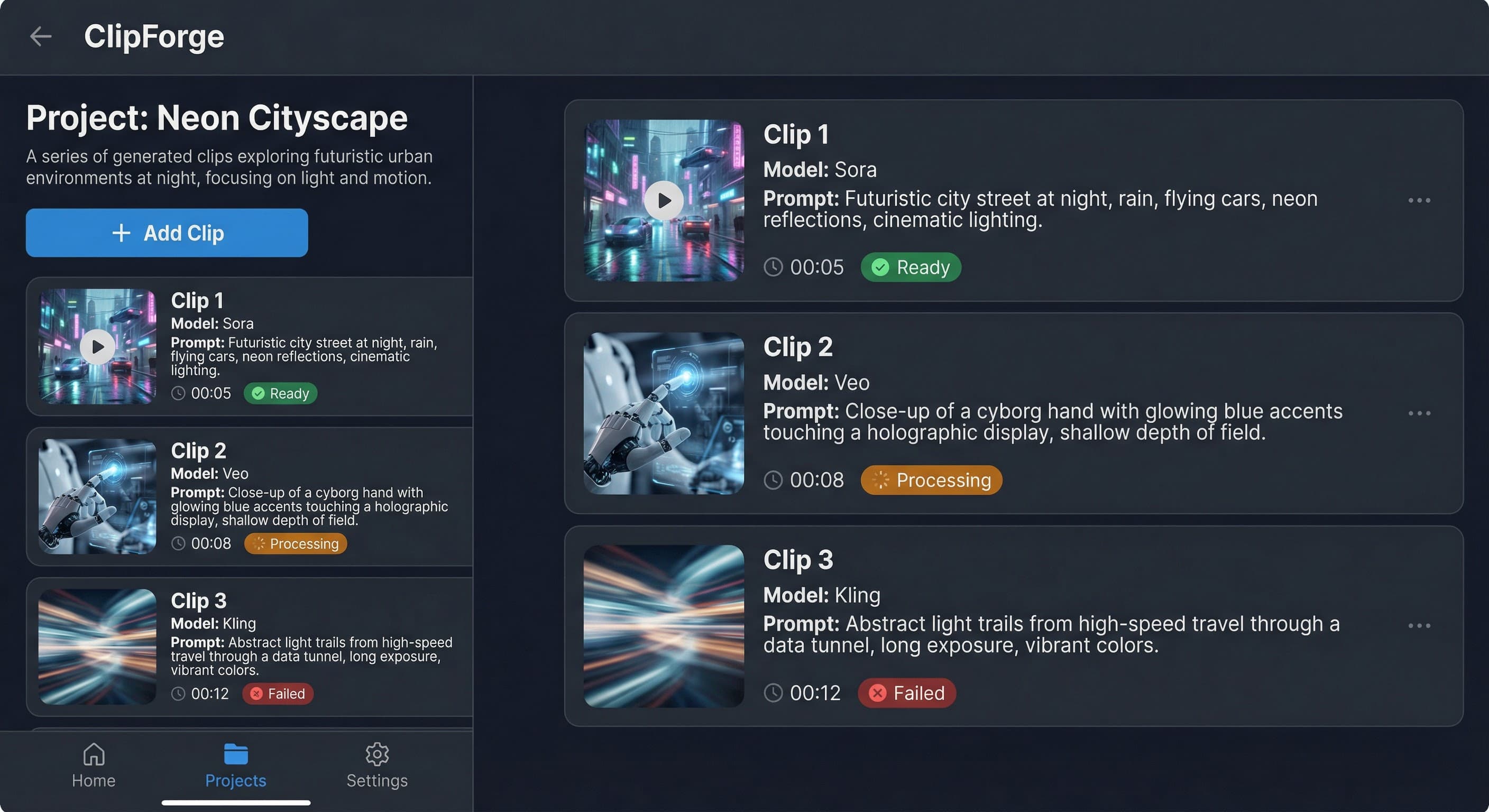
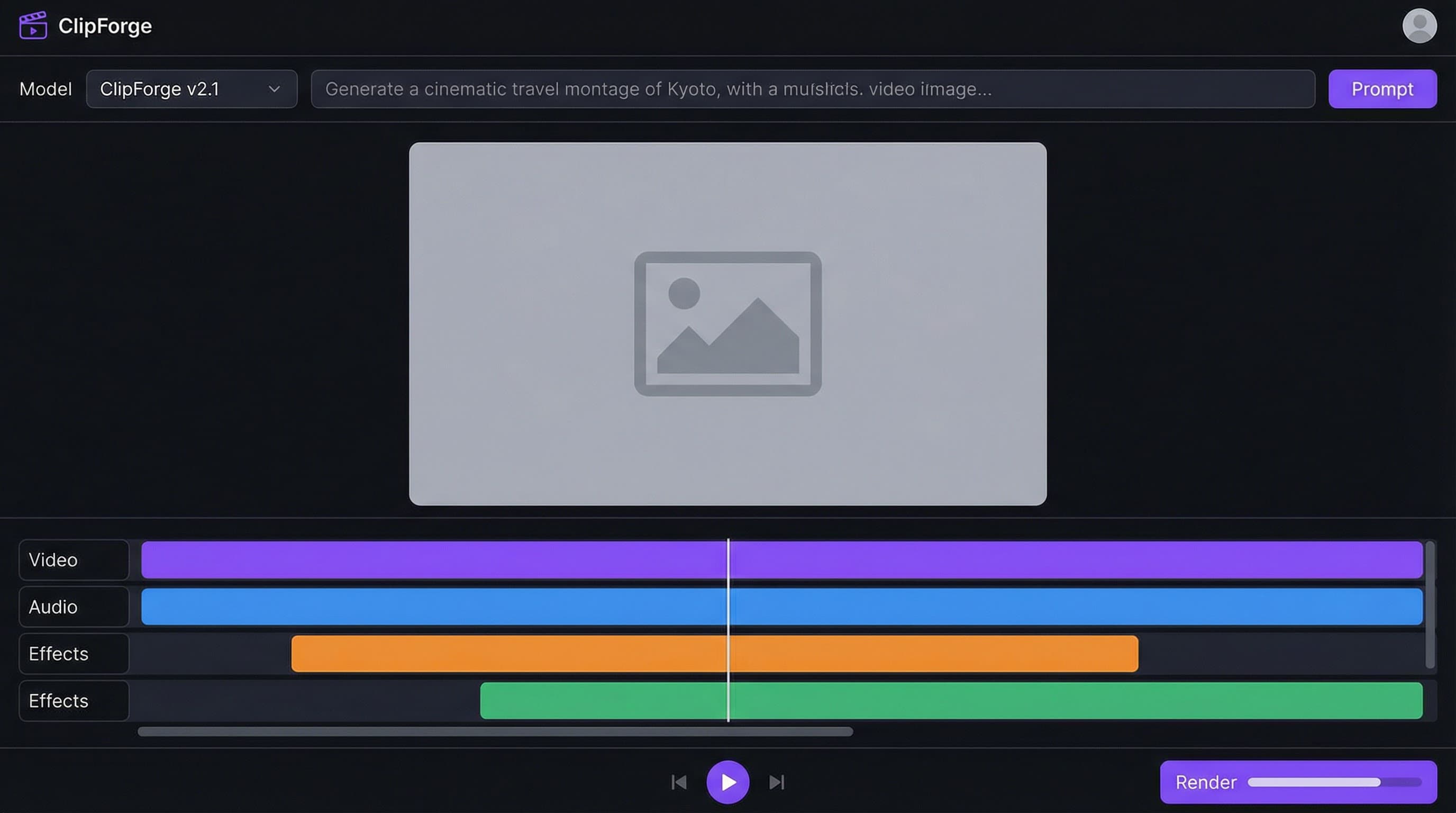
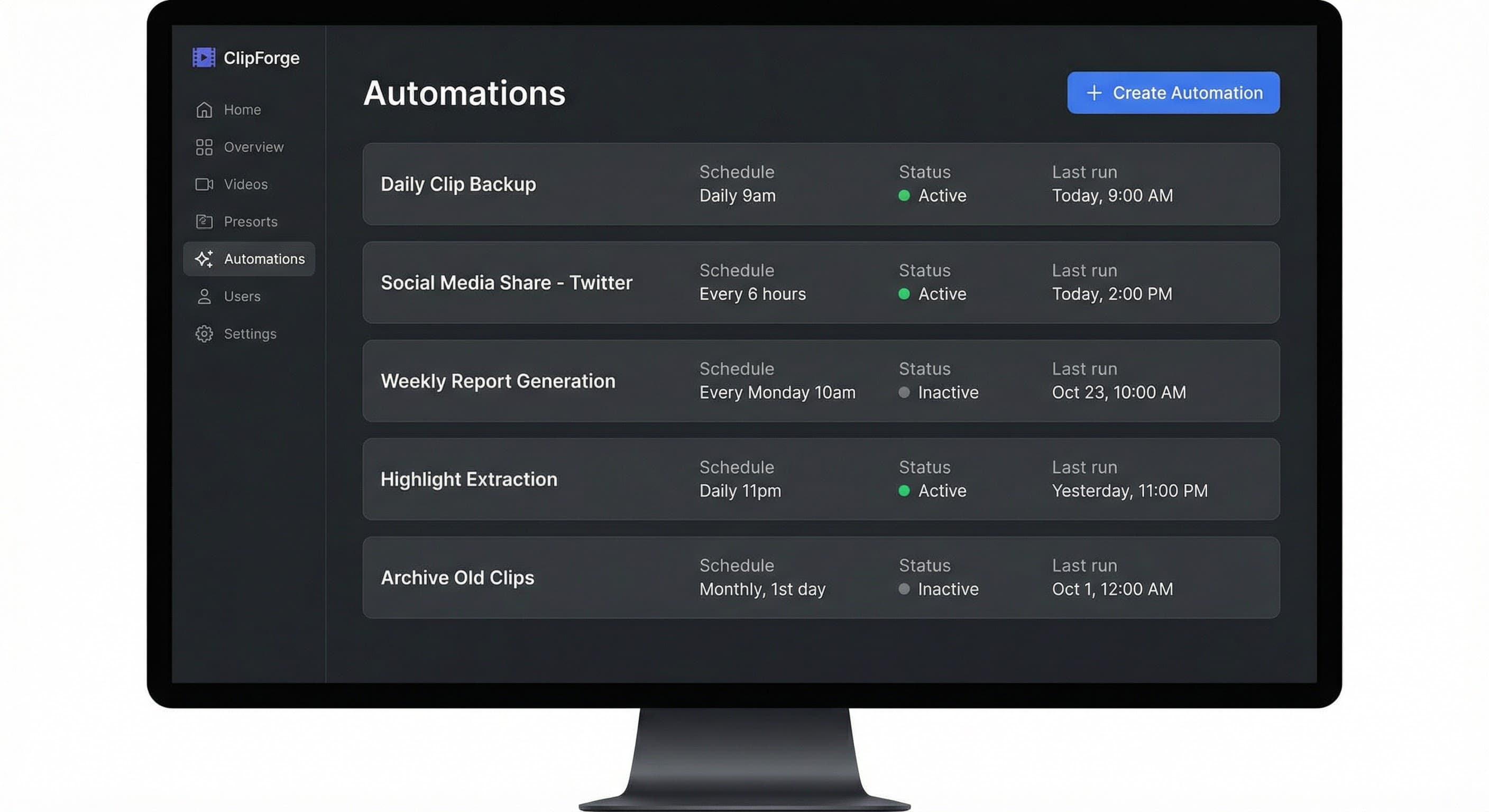
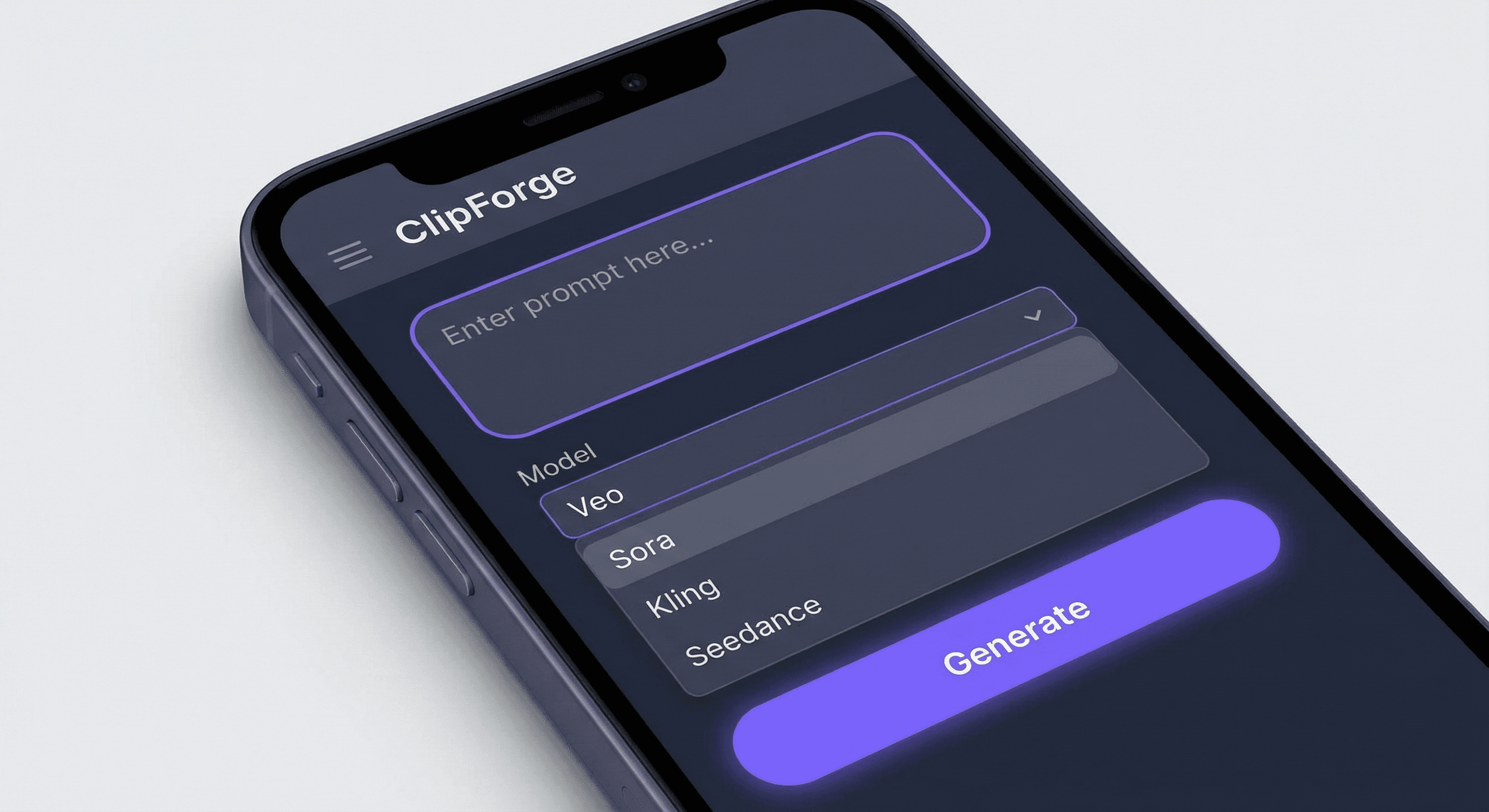
Generate video from text prompts using Google Veo, OpenAI Sora, ByteDance Seedance, or Kling. Each model has distinct quality, speed, and cost profiles. Users can compare outputs for the same prompt across providers to choose the best fit.
Remotion-powered editor displays generated clips back-to-back. Load clips from Supabase Storage. Timeline view with trim and reorder. Render final concatenated MP4 with configurable resolution and format.
Schedule video creation on autopilot. Configure prompts, model, and schedule (interval, daily, weekly, or cron). System automatically creates generation jobs, stores clips in projects, and logs run history.
Real-time view of generation jobs (queued, in progress, completed, failed). Poll provider APIs or handle webhooks. Store completed videos in Supabase Storage with metadata in PostgreSQL.
Display per-second pricing before generation. Support user-owned API keys (BYOK) or app-managed credits. Show estimated cost for each prompt based on selected model and duration.
Frontend
Next.js (App Router)
Styling
Tailwind CSS
Backend
Next.js (Full-Stack)
Database
Supabase (PostgreSQL + Auth)
Authentication
Supabase Auth
Web (Browser)
Deployment
Vercel
Deployment notes
Serverless functions for API routes. Remotion Lambda for production video rendering. Cron routes for automation (Vercel Cron or Supabase Edge).
Starter (Free): 1 project, 5 clips/month, watermark on exports. Good for trying the platform.
Pro ($29/mo): 10 projects, 50 clips/month, no watermark. Full editor, 1 automation.
Team ($99/mo): Unlimited projects, 200 clips/month. 5 automations, priority rendering.
Runway, Pika, and Kling offer consumer-facing apps with per-credit pricing. ClipForge differentiates by aggregating four providers, offering transparent comparison and autopilot. B2B-focused with team plans.
Feature comparison matrix: clips/month, automation count, watermark, priority support. Clear CTA: Start free trial, Upgrade to Pro. Include API passthrough option for enterprise.
Freemium with Stripe for Pro and Team. Credits consumed per second of generated video.
Demographics: Content creators, marketers, indie filmmakers, small agencies. Age 25–45, global (US, EU, APAC). Many are freelancers or small-team leads.
Technical expertise: Medium to high. Users comfortable with prompts, API concepts, and basic video workflows. Expect documentation and clear error messages.
Pain points: Managing multiple AI video providers (Veo, Sora, Kling, etc.) is fragmented. Each has its own dashboard, billing, and API. Users want one place to compare models, store outputs, and automate recurring content.
Primary use cases: Generate short-form video for social (TikTok, Reels, YouTube Shorts); create product demos; produce marketing clips; automate weekly or daily content pipelines via autopilot.
How they interact: Web app, 2–5 sessions/week. Typical flow: create project → add prompts → trigger generation → wait/poll → edit in timeline → render → download or share.
Success: Reduced time from idea to final video; ability to A/B test models; predictable costs; hands-off automation for recurring content.
Google Vertex AI (Veo) - Text-to-video and image-to-video generation with native audio
https://cloud.google.com/vertex-ai/generative-ai/docs/model-reference/veo-video-generation
OpenAI Sora API - Cinematic video generation with physics and character control
https://platform.openai.com/docs/guides/video-generation
fal.ai (Kling, Pika) - Cost-effective video generation via unified API
https://fal.ai
Replicate - Runway, Kling, and pipeline models for video generation
https://replicate.com
Supabase - Authentication, PostgreSQL database, and file storage for generated videos
https://supabase.com/docs
Remotion - Programmatic video composition and rendering from React
https://remotion.dev
Remotion - Video composition, Series/OffthreadVideo for clip sequencing, renderMedia for MP4 export
https://remotion.dev/docs/videos/sequence
@remotion/media-parser - Fetch video duration from remote URLs for calculateMetadata
https://remotion.dev/docs/media-parser
@tanstack/react-query - Async job polling and cache management
https://tanstack.com/query
Zod - Schema validation for API routes and form handling
https://zod.dev
Vertex AI Video Generation API - Long-running predict endpoint for Veo
https://cloud.google.com/vertex-ai/generative-ai/docs/model-reference/veo-video-generation
OpenAI Video Generation API - Sora 2 / Sora 2 Pro models
https://platform.openai.com/docs/guides/video-generation
fal.ai REST API - Kling O1, Pika 2.2 with @fal-ai/client
https://fal.ai/docs
Supabase Storage API - Signed URLs for video clip access
https://supabase.com/docs/reference/javascript/storage
Modern SaaS dashboard with a creative, media-focused aesthetic. Clean, professional interface with dark-mode support for video editing workflows. Minimal clutter; emphasis on the video preview and timeline.
Primary: Deep slate (#1e293b), Secondary: Violet accent (#7c3aed), Accent: Emerald for success states (#10b981). Neutral grays for backgrounds; high-contrast text for accessibility.
Inter or Geist for UI; clear hierarchy with bold headings for section labels. Monospace for timestamps and technical values (duration, resolution).
Rounded corners (8px), subtle shadows for cards. Timeline and playback controls use flat, icon-driven buttons. Video preview area has dark background to reduce eye strain.
Card-based layouts for projects and clips. Glassmorphism accents on modals. Timeline follows linear, horizontal pattern familiar from Capcut/Canva-style editors.
Desktop-first (video editing requires screen real estate). Minimum breakpoint 1024px for editor. Mobile: projects list and job status only.
Default dark theme for editor; optional light mode for dashboard. Respect system preference for marketing pages.
The interface balances creative tooling (generation prompts, editor timeline) with production workflows (job queue, automation). Video-first visual hierarchy.