Tech stack
Frontend
Next.js (App Router)
Styling
Tailwind CSS
Backend
nextjs-fullstack
Database
supabase
Authentication
supabase-auth
Performance Metrics & Potential
Market Context & Definition
Software app, B2C / vertical SaaS
College athletes (any sport), athletic departments
NIL deals create chaos: scattered DMs, lost contracts, missed content deadlines, and compliance anxiety. Young athletes need one place to track partnerships and obligations without acting as full-time business managers.
Roster is a dedicated command center for college athletes managing Name, Image, and Likeness (NIL) partnerships. It gives athletes a single dashboard to log every brand deal, see all content and appearance deadlines in one calendar, and stay within school and NCAA compliance rules. Athletes can attach contract screenshots or emails, tag brands and deliverables, and get reminders so nothing slips. An optional media kit lets athletes present stats, social reach, and past partnerships to brands in one link. The product is designed for 18–22 year olds who are athletes first and need simple, visual tools—no spreadsheets or scattered DMs. The goal is to reduce missed posts, compliance headaches, and stress so athletes can focus on training and competition.
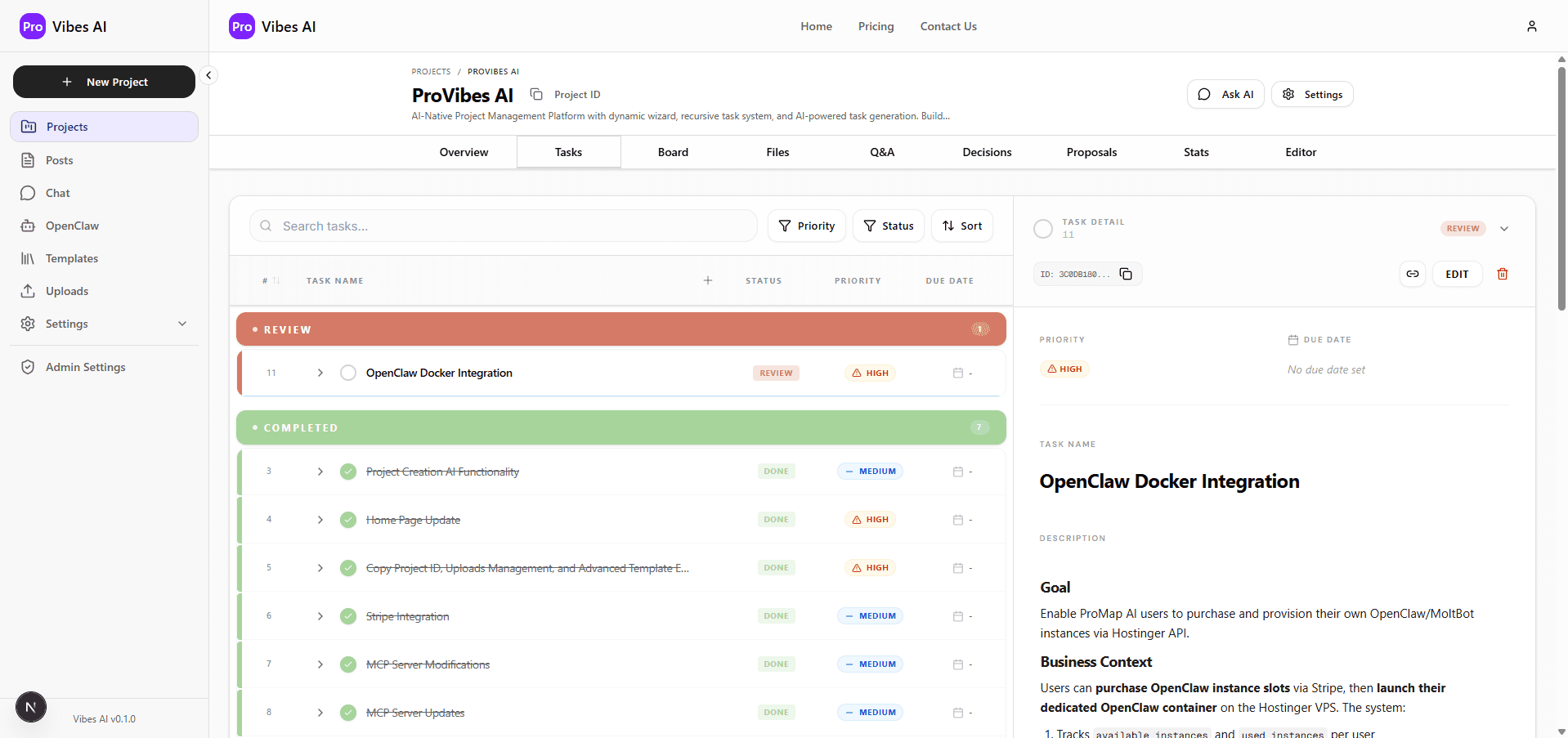
Get an entire project plan for this application—with task lists that detail every step of the development process.
Open this project in your favorite IDE and tell your AI assistant to go to work. The ProVibes AI Task Manager instructs any LLM on how to execute every step.
Visual Product Identity
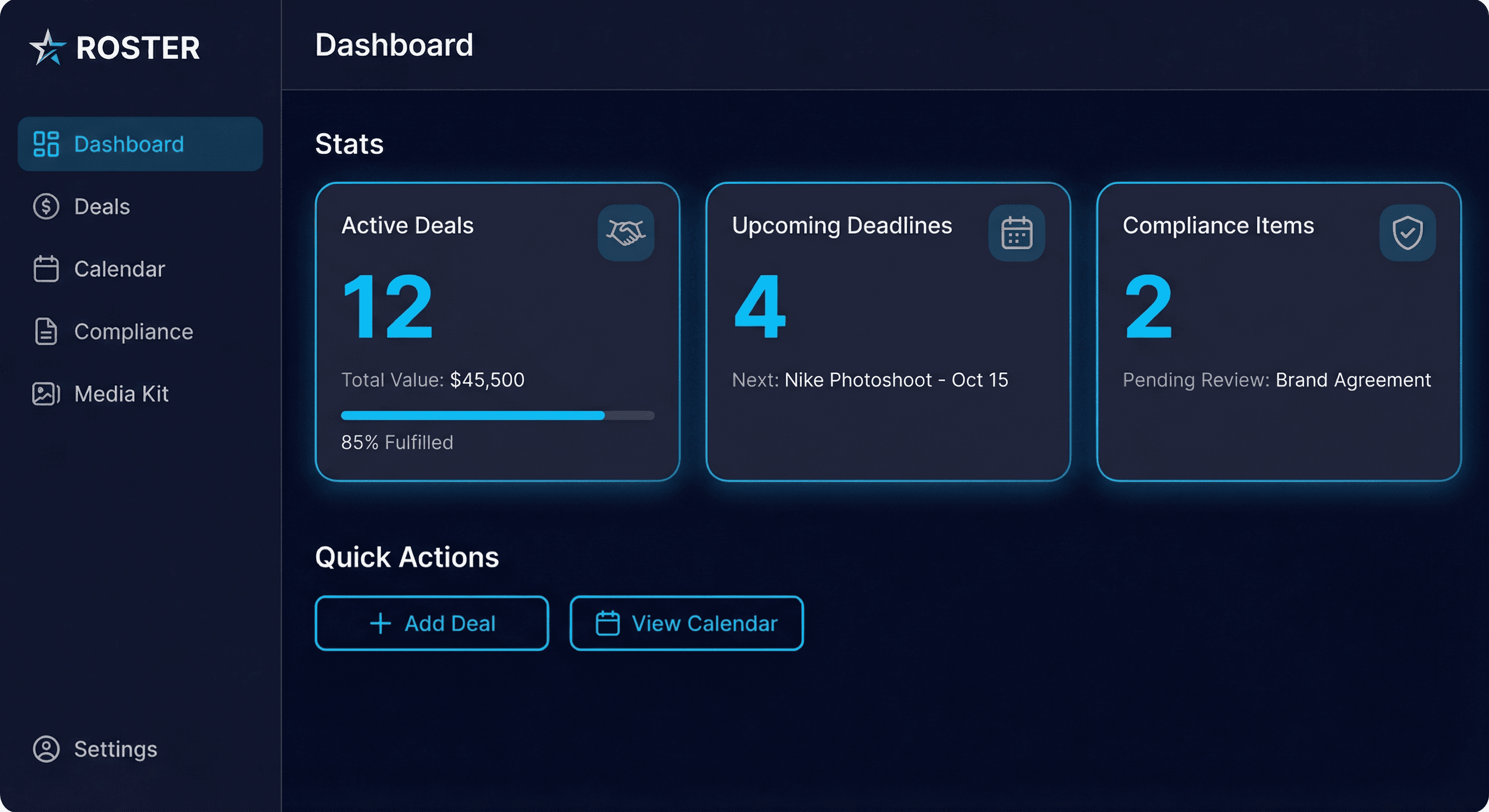
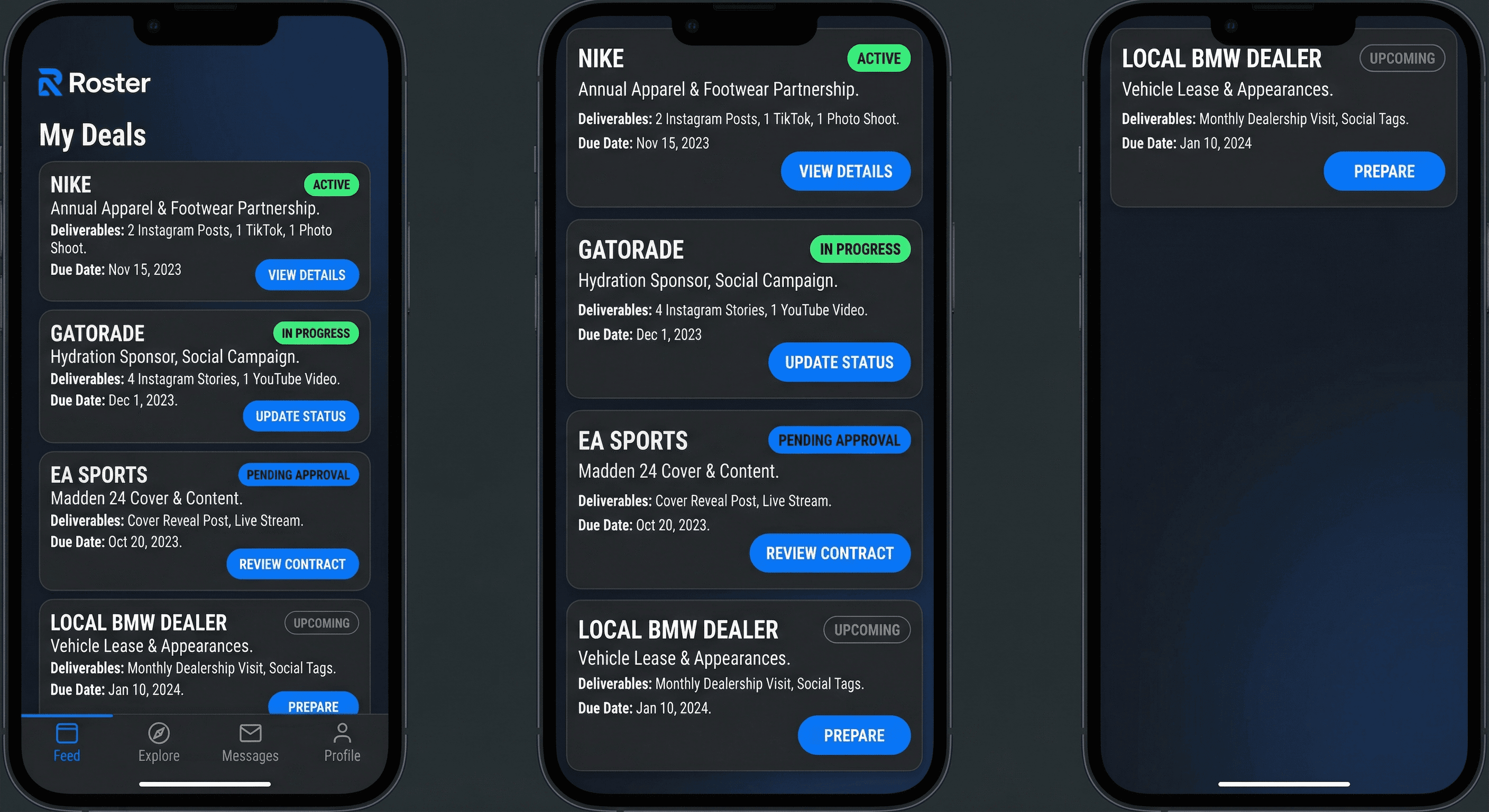
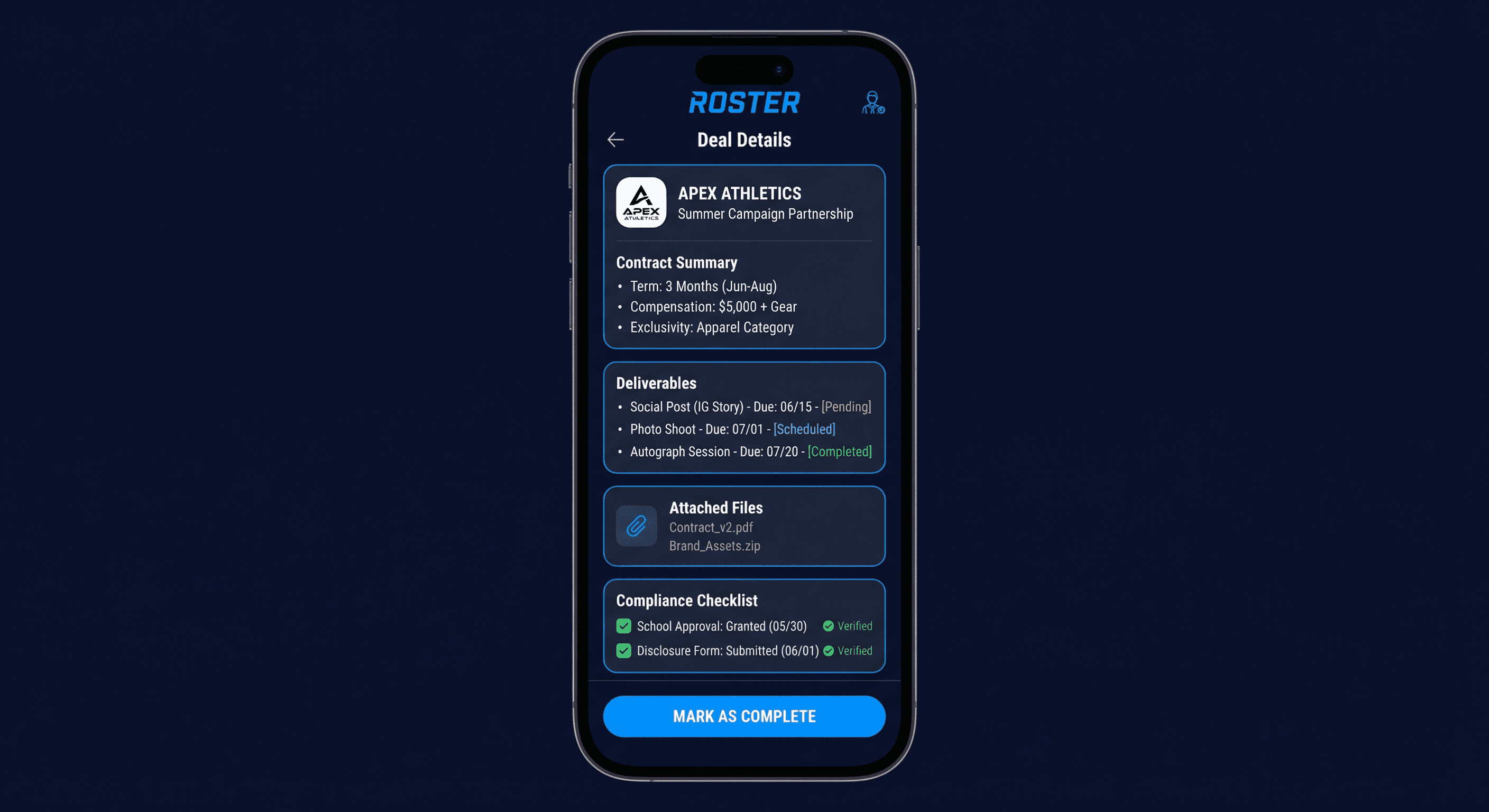
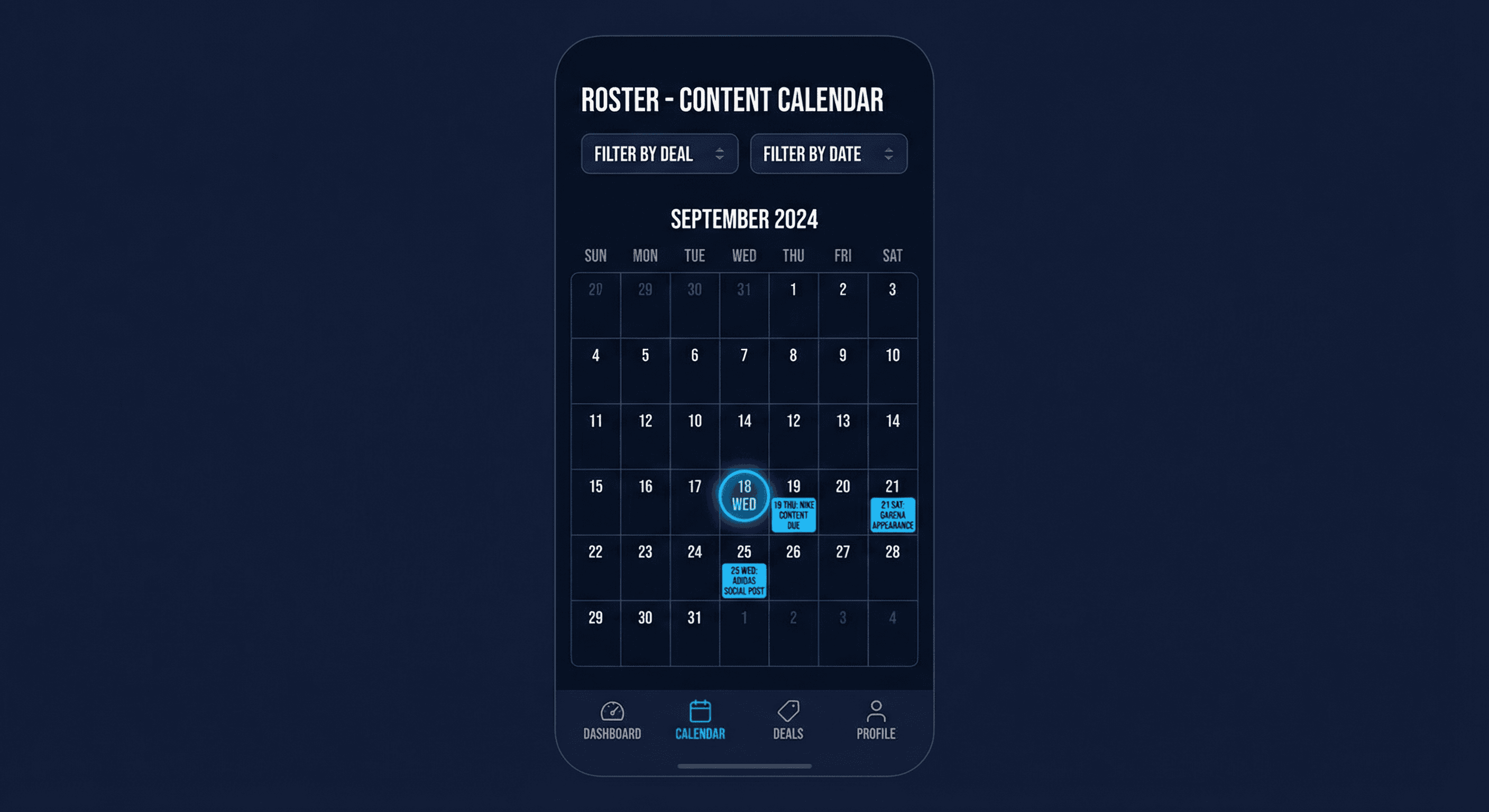
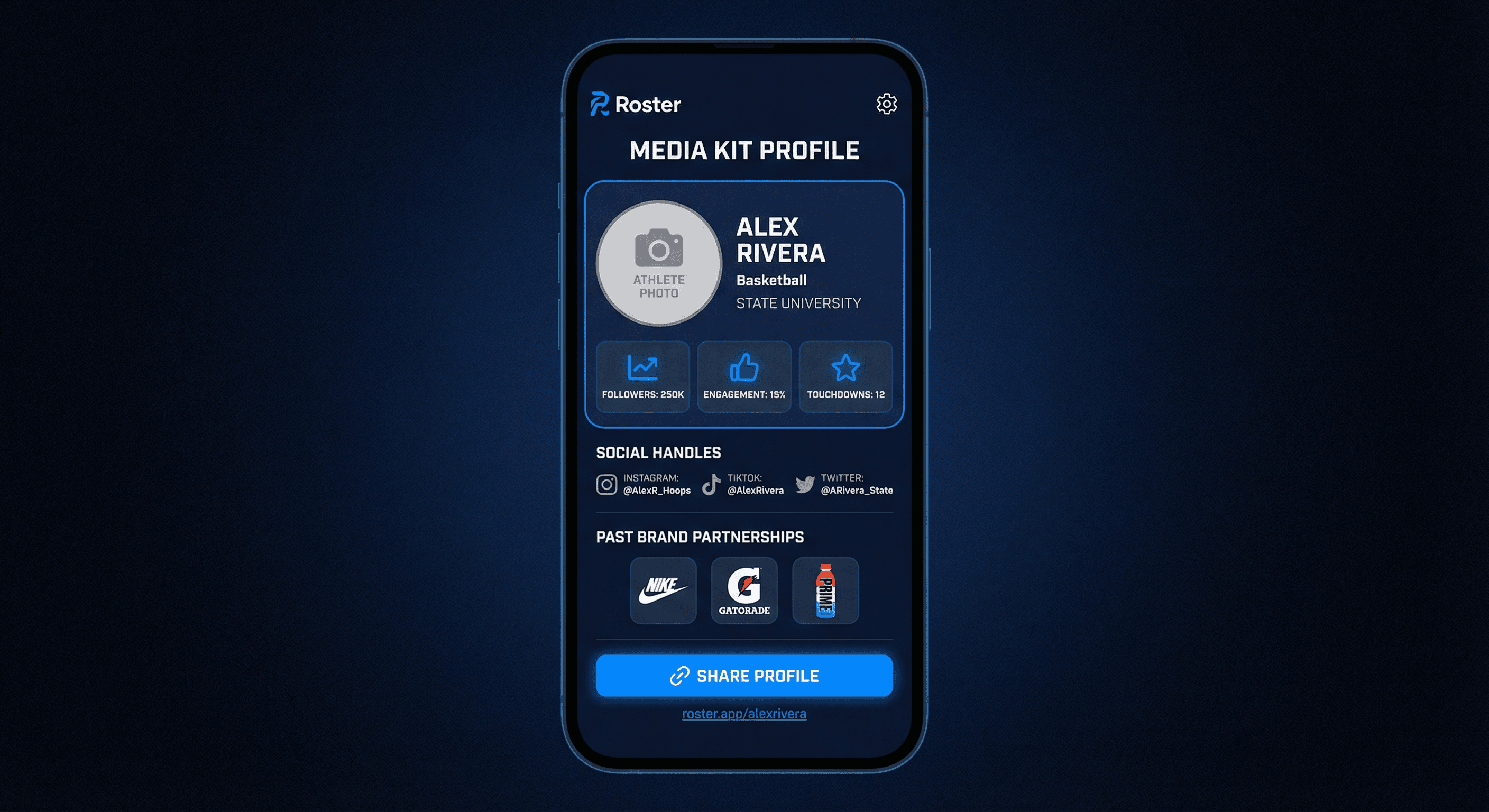
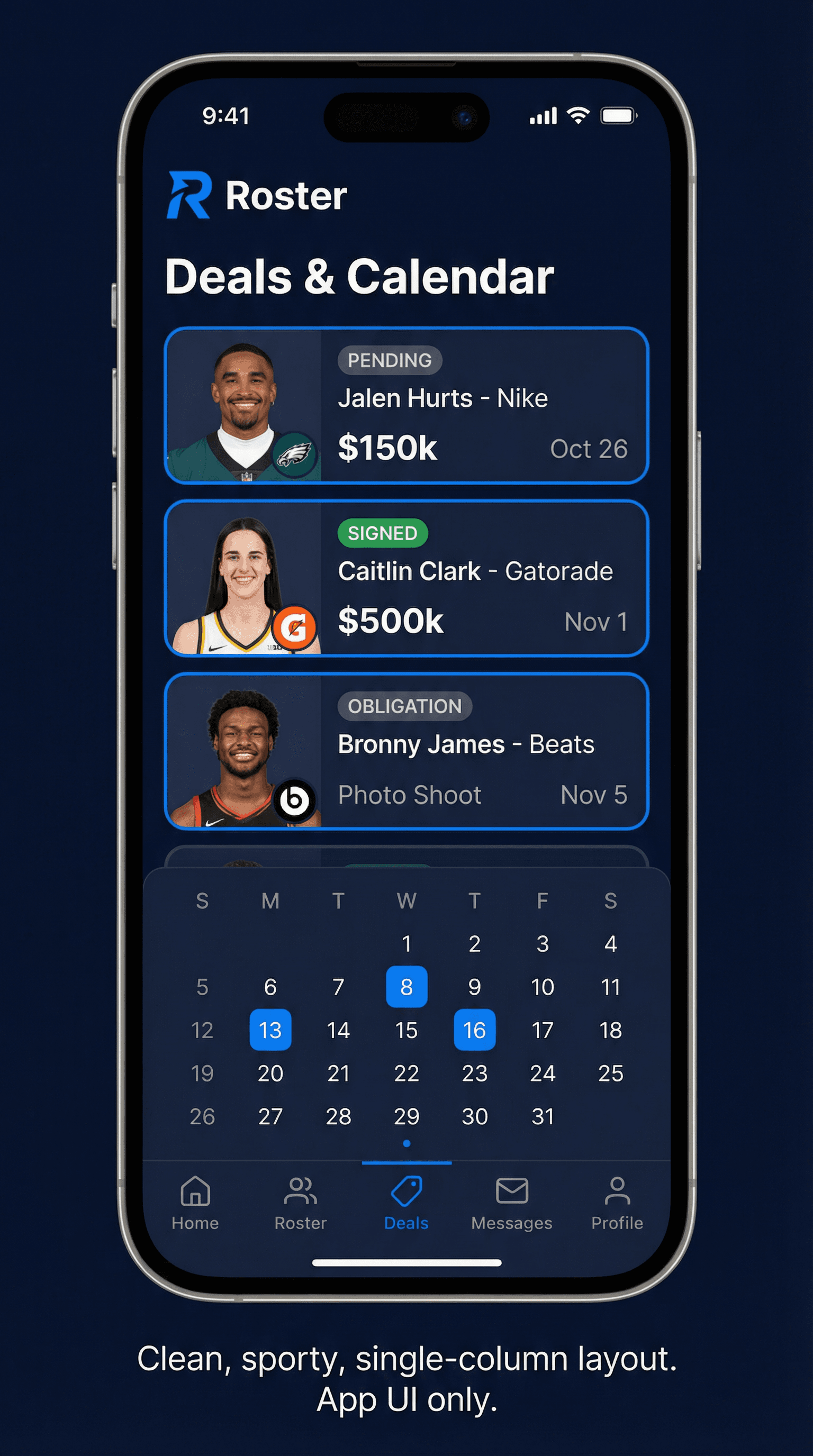
Add and edit NIL partnerships with brand name, contract summary, deliverables (e.g. 2 Instagram posts, 1 appearance), due dates, and optional attachment (screenshot or PDF).
Single calendar view of all content and appearance deadlines across deals; filter by deal or date; optional push or email reminders.
Per-deal or per-post checklist (e.g. school approval, disclosure language) with short guidance; mark complete to avoid missed steps.
One-page profile: photo, sport, school, stats, social handles, and past brand partnerships; shareable link for brands.
Configurable email (and optional push) reminders for upcoming due dates and compliance tasks.
Frontend
Next.js (App Router)
Styling
Tailwind CSS
Backend
nextjs-fullstack
Database
supabase
Authentication
supabase-auth
Web (Browser)
iOS (Mobile)
Deployment
vercel
Deployment notes
Next.js on Vercel; server actions and API routes for backend. Supabase in same region for low latency. Optional iOS wrapper (e.g. PWA or Capacitor) for app-store presence.
vs. Spreadsheets and notes: Roster replaces ad-hoc tracking with a dedicated deal log, calendar, and compliance checklist. Price is low compared to the cost of missed posts or compliance issues.
vs. Generic project/crm tools: Notion or Trello lack NIL-specific compliance and media kit features. Roster is positioned for athletes and departments; pricing reflects niche focus and lower volume than generic SaaS.
Value proposition by tier:
Tier descriptions (copy suggestions):
Feature comparison matrix suggestions:
| Feature | Free | Pro | Team |
|---|---|---|---|
| Active deals | 3 | Unlimited | Unlimited |
| Calendar & reminders | ✓ | ✓ | ✓ |
| Media kit | — | ✓ | ✓ |
| Compliance templates | Basic | ✓ | ✓ |
| Support | Community | Priority | Dedicated |
| Seats / reporting | — | — | ✓ |
Call-to-action recommendation: Primary CTA "Start free" for Free tier; secondary "Go Pro" for visitors with multiple deals. Team: "Contact us" or "Request demo" for department leads.
Free: Up to 3 active NIL deals, basic calendar, email reminders. Pro ($9.99/mo or $79/year): Unlimited deals, media kit builder, compliance templates, priority support. Team (for athletic departments): Per-seat pricing for compliance oversight and reporting. Justification: Athletes and small budgets; low barrier for free tier. Pro captures serious multi-deal athletes; annual discount encourages commitment.
Demographics
Primary users are college athletes in the US aged 18–24, competing at NCAA D1, D2, D3, NAIA, or NJCAA schools. They are students first, with sport as a major time commitment; many are in revenue sports (football, basketball) or high-visibility Olympic sports (swimming, track, gymnastics). Location is nationwide, with higher concentration in states with active NIL markets (e.g. Texas, California, Florida). Secondary segments include international students on US campuses (with NIL eligibility) and, for a future Team tier, athletic department staff (compliance officers, SIDs) who need visibility into athlete obligations.
Technical expertise
Users are comfortable with smartphones and social apps (Instagram, TikTok, Twitter/X) and expect mobile-first or at least mobile-friendly tools. They are not power users of spreadsheets or project tools; they prefer simple forms, clear calendars, and push or email reminders. Accessibility: support for large touch targets and readable text on small screens; optional language or literacy considerations for athletes whose first language is not English.
Pain points and challenges
Primary use cases and goals
How they interact with the application
Channels: primarily web (desktop or mobile browser) and optionally a native or PWA mobile app for on-the-go checks. Frequency: daily or near-daily during the season when deals are active; weekly or less in the off-season. Key flows: (1) onboarding: add first deal and connect calendar/reminders; (2) daily: quick glance at calendar and any due-this-week items; (3) when a new deal is signed: log deal and deliverables; (4) before posting: run through compliance checklist; (5) when a brand asks for info: share media kit link.
Success criteria
Success means: fewer missed content deadlines, no compliance slip-ups that could affect eligibility or reputation, less time spent hunting for contract details or assembling info for brands, and a clearer picture of total NIL obligations at any time. Outcomes they can point to: “I never miss a post,” “I always complete the compliance steps,” “I have one link to send brands.” The product is working when athletes feel in control of their NIL commitments without it feeling like a second job.
Supabase (Auth, Database, Storage) – core backend
Stripe – optional subscription for premium features (media kit, unlimited deals)
Resend or SendGrid – transactional email for deadline reminders
Google Calendar API – optional sync for content due dates
React Hook Form + Zod – forms and validation
TanStack Query – server state and caching
date-fns – calendar and due-date logic
Lucide React – icons
Supabase REST/Realtime – https://supabase.com/docs
Stripe API – https://stripe.com/docs/api
Google Calendar API – https://developers.google.com/calendar
Modern, clean, and sport-forward. High contrast with a focused aesthetic that feels professional and energetic—suited for athletes and brand partners.
Dark background (navy or charcoal) with a bright accent (electric blue or green) for CTAs and status. Limited palette to keep focus on content and deadlines. Use accent sparingly for key actions and badges.
Sans-serif for UI (e.g. Inter or system font) for clarity and readability; optional display font for hero or branding. Clear hierarchy: headings for sections, body for deal and calendar content. Ensure readable sizes on mobile.
Cards for each deal and calendar for deadlines. Rounded corners and clear borders for sections. Buttons: filled primary for main actions (e.g. Add deal), ghost or outline for secondary. Empty states that guide users to add first deal or connect calendar.
Flat design with depth via shadows and borders. Sport-forward but not cluttered; avoid heavy skeuomorphism. Compliance items (e.g. school approval, disclosure) as short checklists or badges.
Mobile-first so athletes can check on the go. Breakpoints for tablet and desktop; calendar and deal list adapt (e.g. single column on small screens, grid on larger). Touch targets large enough for thumbs.
Default dark theme (navy/charcoal) fits the sport-forward look and reduces glare; optional light theme for accessibility. Ensure WCAG contrast for text and CTAs in both modes.
Clean, sport-forward aesthetic with high contrast and clear hierarchy. Use a limited palette: dark background (e.g. navy or charcoal) with bright accent (electric blue or green) for CTAs and status. Typography: sans-serif for UI (e.g. Inter or system), optional display font for hero or branding. Cards for each deal and calendar for deadlines; mobile-first so athletes can check on the go. Empty states that guide users to add first deal or connect calendar. Compliance items (e.g. school approval, disclosure) surfaced as short checklists or badges.